


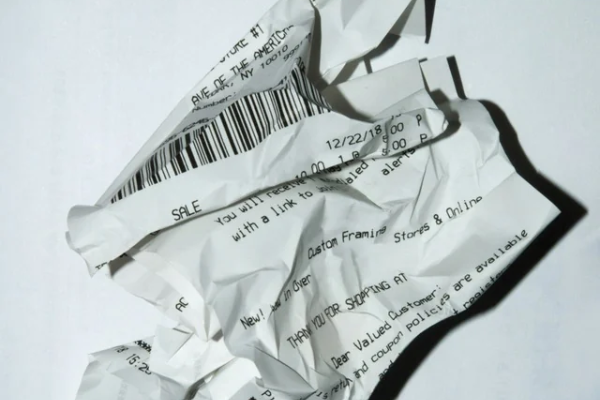
If a text or email says your return or refund hit a snag, don't click the link. Go to the store's website or app yourself and check there.
Over the next few weeks, almost everyone will be waiting on something: a gift that hasn't shipped, a package that hasn't shown up, and after Christmas, a return in transit or a refund that hasn't posted. Scammers know it.
From now through January, they send messages that look like they come from the retailers and shipping companies you're already ordering from, betting you'll be expecting to hear from them.
How the scam works
- You get a text or email that looks like it's from a retailer, a payment app, or a carrier like UPS, FedEx, or USPS.
- It says your refund couldn't be processed, your return was rejected, or your package is stuck.
- It gives you a link to fix the problem, verify your account, or claim your money.
- The link leads to a fake page that asks for your login, card number, or bank details. Sometimes it asks for a small fee to redeliver or reprocess the order.
- Once you enter it, they use it. Sometimes they follow up with a call, posing as the store or as us, and ask for the code that just landed on your phone.
What it might say
- "Your refund of $84.99 could not be processed. Update your payment information."
- "Your return was rejected. Click here to resubmit."
- "Your package is on hold due to an incomplete address."
- "A $1.99 redelivery fee is due."
- "You have unclaimed reward points from your holiday purchases."
Why it works this time of year
The timing does most of the work. You did order things. You did send something back. Refunds can take a week or two, and receipts are scattered across your inbox, three different apps, and the kitchen counter. A refund message doesn't feel random, so it's easy to act on it without checking.
Signs you're looking at a scam
- You didn't start the conversation. The store or carrier reached out first, out of nowhere.
- The link is off. Scam addresses are often one letter different from the real site or have extra words tacked on.
- There's a deadline. Act "within 24 hours" or your refund is "forfeited."
- It asks for card details so you can receive money. You don't need to hand over a card number to get a refund on something you already paid for.
- It asks for a fee, a gift card, or a code.
How to check on a refund safely
- Open the retailer's app or type its web address yourself, then check your order history.
- Track packages on the carrier's own site, using the tracking number from your original order confirmation.
- Log in to Digital Banking to see whether the refund has posted. Refunds go back to the card you paid with.
- If you need to call a company, use the number on its official website, not the one in the message.
Check your statements in January
Card information stolen during holiday shopping doesn't always get used right away. Thieves often test a card weeks later with a small charge, sometimes just a dollar or two, before trying something bigger. Once the holidays wind down, look through your December and January transactions for anything you don't recognize, especially small charges from businesses you've never heard of. Turning on account alerts in Digital Banking means you'll hear about new transactions as they happen instead of finding them at the end of the month.
Already clicked or entered information?
- Call us right away at 888.821.2400. We can lock or replace your card and monitor your account.
- Change your passwords. Start with any account you logged in to through the link, then change any other account that uses the same password.
- Report the message to the company it imitated and to the FTC at ReportFraud.ftc.gov.
The sooner you call, the less a scammer can do with what they got.
If you remember one thing
A real refund doesn't need anything new from you. If a message asks you to click, pay, or share a code to get your money back, go to the source yourself instead.
For more ways to spot and stop scams, visit our Fraud Center.