


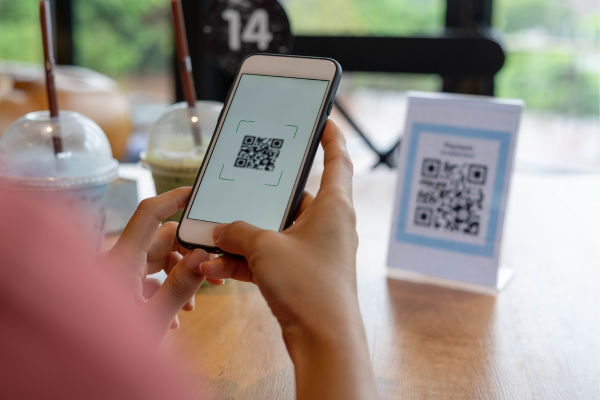
QR codes are everywhere now. Parking meters. Restaurant menus. Package notices. Payment screens.
They’re quick, familiar, and usually harmless. And that’s exactly why scammers have started using them.
Here’s what to know about QR code scams, and how to stay safer without giving up convenience.
Why QR Codes Can Be Risky
When you click a link, you can usually see where it’s taking you. With a QR code, you don’t always get that preview.
A quick scan can send you to:
- A fake payment page
- A look-alike website designed to steal information
- A download that compromises your device
The code itself isn’t dangerous. It’s where it leads — and you don’t always know that until it’s too late.
Where QR Code Scams Show Up Most Often
Parking meters
Scammers place a fake sticker over a real QR code. You scan it, enter your payment details, and think you’ve paid, but your information gets sent somewhere else.
Restaurant menus
Especially outdoors or in busy areas. A fake QR code can lead to a phishing site or prompt you to enter personal information.
Package delivery notices
Fake tags, emails, or texts claim you missed a delivery and ask you to scan a QR code to reschedule or pay a small fee.
In each case, the setting feels legitimate. That’s the hook.
Why These Scams Work
QR code scams don’t rely on tricking you with bad spelling or obvious lies.
They work because:
- QR codes feel official
- They’re used by real businesses every day
- They show up in places where you expect them
There’s no obvious warning sign. And that’s what makes them effective.
How to Scan More Safely
You don’t need to avoid QR codes altogether. A few habits can lower your risk.
Pause before scanning
Ask yourself where the code came from. Is it taped on? Does it look altered or out of place?
Check the link before acting
Most phones show the web address before you open it. Look for misspellings or unfamiliar domains.
Avoid entering personal or payment information right away
If a QR code leads to a request for sensitive details, stop and verify through another trusted source.
Use official apps when possible
If you’re paying for parking or tracking a package, opening the company’s official app or website directly is often safer than scanning a code.
If Something Doesn’t Feel Right
Trust that instinct.
If a QR code leads to something unexpected:
- Close the page
- Don’t enter information
- Don’t download anything
If you’re unsure, it’s okay to slow down and double-check before taking action.
A Different Way to Think About Convenience
QR codes are meant to make life easier. And most of the time, they do.
But convenience shouldn’t come at the cost of your security. Taking a moment to pause, look closer, and verify can help you avoid a situation that’s much harder to undo.
If something feels off, it’s worth listening to that feeling.